Pay By Phone
You can pay using cash or card at any of our machines at the carparks. Or you can make use of the PayByPhone service, the most convenient way to pay for parking. It’s easy, either call the PayByPhone number or download and use the app. Get helpful tips on using each method below.
Pay By Phone app

Download For Android
Tap or click here to download the PayByPhone app from Google Play Store

Download For iPhone
Tap or click here to download the PayByPhone app from the Apple App Store.

Download for Blackberry
Tap or click here to download the PayByPhone app from Blackberry World.
Use The App:

Download the PayByPhone app
Download the app now from the Google Play and iOS App Store.

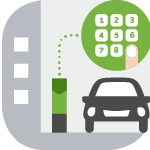
Enter your location code
Enter the location code you wish to park in as advertised on street signage.

Enter your parking duration
Add the time duration you wish to park for. Check the details then confirm your selection.

Extend your parking anytime*
Add more time from wherever you are. Simply open the app and add time to your current parking meter.